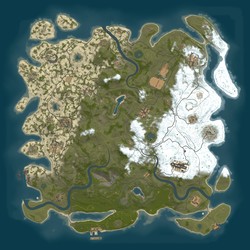
Servo Meat Pie PvE 2x | Caravan | Personal Heli | Skippy
Join the Servo Meat Pie PvE 2x | Caravan | Personal Heli | Skippy Rust server at 115.64.74.66:28015 and play with 2 other active players! Explore the full server details below, check the community focus, and connect now to start your next survival adventure.
Server Description
G'DAY AND WELCOME TO SERVO MEAT PIE PVE!
A relaxed 2x PvE server with custom progression, events, protected loot and rewarding endgame content.
CUSTOM EVENTS
- Tiered Attack Helicopters: summon Regular, Military and Elite encounters through /shop. Higher tiers bring tougher combat, heavier missile barrages and increasingly valuable rewards.
- Raidable Bases: Easy through Nightmare bases with difficulty-scaled defenders, packed loot rooms and Epic Loot opportunities.
- Train Heist: a multi-stage PvE event with guards, hackable rewards and automatic cleanup.
LOOT AND PROGRESSION
- Curated 2x gathering and loot balance with useful materials, components, weapons and armor.
- Epic Loot equipment with rarity tiers, unique set bonuses, salvage and enhancement progression.
- Daily and weekly Challenges reward Economics cash. Use /ch to view and claim.
- Rotating Economics market with fresh stock every 60 minutes. Use /shop and /rt.
WIPE SCHEDULE
- Monthly map and blueprint wipe after the confirmed Facepunch force-wipe update.
- Economics and shop balances are preserved across wipes. A verified pre-wipe recovery archive is retained for physical-loot emergencies.
- Last wipe: 2 Oct 2026 at about 4:23 AM AEST | Next wipe: 6 Nov 2026 at about 6:10 AM AEDT.
PLAYER FEATURES
- Teleport GUI for players, homes and monuments. Use /tp.
- Purchasable vehicles with owner and team protection.
- One-minute hackable crates with temporary player and team ownership.
- Self-revive, donor tier perks, custom stacks and quality-of-life improvements.
Play fair, respect other players and enjoy the i
Server Features
Wipe Schedule(s)
No custom wipe schedules configured. Showing Force Wipe dates (first Thursday of each month).
September 2026
| S | M | T | W | T | F | S |
|---|---|---|---|---|---|---|
1 | 2 | 3 | 4 | 5 | ||
6 | 7 | 8 | 9 | 10 | 11 | 12 |
13 | 14 | 15 | 16 | 17 | 18 | 19 |
20 | 21 | 22 | 23 | 24 | 25 | 26 |
27 | 28 | 29 | 30 |
October 2026
| S | M | T | W | T | F | S |
|---|---|---|---|---|---|---|
1 | 2 | 3 | ||||
4 | 5 | 6 | 7 | 8 | 9 | 10 |
11 | 12 | 13 | 14 | 15 | 16 | 17 |
18 | 19 | 20 | 21 | 22 | 23 | 24 |
25 | 26 | 27 | 28 | 29 | 30 | 31 |
November 2026
| S | M | T | W | T | F | S |
|---|---|---|---|---|---|---|
1 | 2 | 3 | 4 | 5 | 6 | 7 |
8 | 9 | 10 | 11 | 12 | 13 | 14 |
15 | 16 | 17 | 18 | 19 | 20 | 21 |
22 | 23 | 24 | 25 | 26 | 27 | 28 |
29 | 30 |
How to Connect
Press F1 in Rust and type the following command:
Click the connect string above to copy it to your clipboard