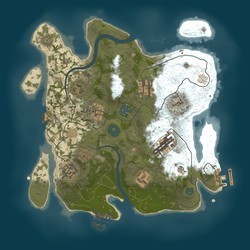
NEXTFALL 3X \| EU \| Monthly Wipe\New GameMode
Join the NEXTFALL 3X \| EU \| Monthly Wipe\New GameMode Rust server at 57.129.177.196:28015 and play with 0 other active players! Explore the full server details below, check the community focus, and connect now to start your next survival adventure.
Server Description
NEXTFALL 3X | EU | CONQUEST & WAR | MONTHLY WIPES
Claim your land. Build your strength. Survive the war.
WEEK 1 - CONQUEST: Build, form your built-in Rust team and claim available territories. PvP, raiding, theft and entry into other players' locked bases are blocked.
WEEK 2 - WAR: PvP, raiding and theft are enabled. Team rosters are locked; new Tool Cupboards and territory claims are disabled.
WEEK 3 - CONQUEST RETURNS: Keep surviving claims and expand into additional available territories.
WEEK 4 - WAR RETURNS: Defend your holdings. The 7-day Conquest / 7-day War cycle repeats until the monthly wipe.
100 territories. One claiming Tool Cupboard per territory. Multiple territories per player.
Press G: ORANGE = available land. Every CLAIMED territory has its own stable colour. All territory fills are 20% opaque, keeping the terrain visible.
The Discord map uses the same colours. Released territories return to orange. No owner-name labels or extra cupboard/pin icons are added to the maps.
You or a Rust teammate must visit EVERY claimed territory at least once every 3 days. Inactive claims, buildings, deployables and stored loot are cleared. Keep your Tool Cupboards supplied for normal upkeep.
The player holding the most territories at the monthly wipe wins; tied top scores are a draw.
Use /commands for help, /territory to check ownership, /territories for leaders and /auth to link your Steam account in Discord.
Discord has full rules. Wipe announcements, campaign information and the live territory map are in 3x-wipe.
Permanent activi
Server Features
Wipe Schedule(s)
No custom wipe schedules configured. Showing Force Wipe dates (first Thursday of each month).
September 2026
| S | M | T | W | T | F | S |
|---|---|---|---|---|---|---|
1 | 2 | 3 | 4 | 5 | ||
6 | 7 | 8 | 9 | 10 | 11 | 12 |
13 | 14 | 15 | 16 | 17 | 18 | 19 |
20 | 21 | 22 | 23 | 24 | 25 | 26 |
27 | 28 | 29 | 30 |
October 2026
| S | M | T | W | T | F | S |
|---|---|---|---|---|---|---|
1 | 2 | 3 | ||||
4 | 5 | 6 | 7 | 8 | 9 | 10 |
11 | 12 | 13 | 14 | 15 | 16 | 17 |
18 | 19 | 20 | 21 | 22 | 23 | 24 |
25 | 26 | 27 | 28 | 29 | 30 | 31 |
November 2026
| S | M | T | W | T | F | S |
|---|---|---|---|---|---|---|
1 | 2 | 3 | 4 | 5 | 6 | 7 |
8 | 9 | 10 | 11 | 12 | 13 | 14 |
15 | 16 | 17 | 18 | 19 | 20 | 21 |
22 | 23 | 24 | 25 | 26 | 27 | 28 |
29 | 30 |
How to Connect
Press F1 in Rust and type the following command:
Click the connect string above to copy it to your clipboard